People search for a Polymarket demo account because the first trades are where beginners lose money for no reason: they buy into a thin book, forget the fee and sell at the bid a minute later. Polymarket itself has no practice mode, so here is what it does offer, what it doesn’t, and how to practise on its live prices without a wallet or a deposit.
Does Polymarket have a demo account?
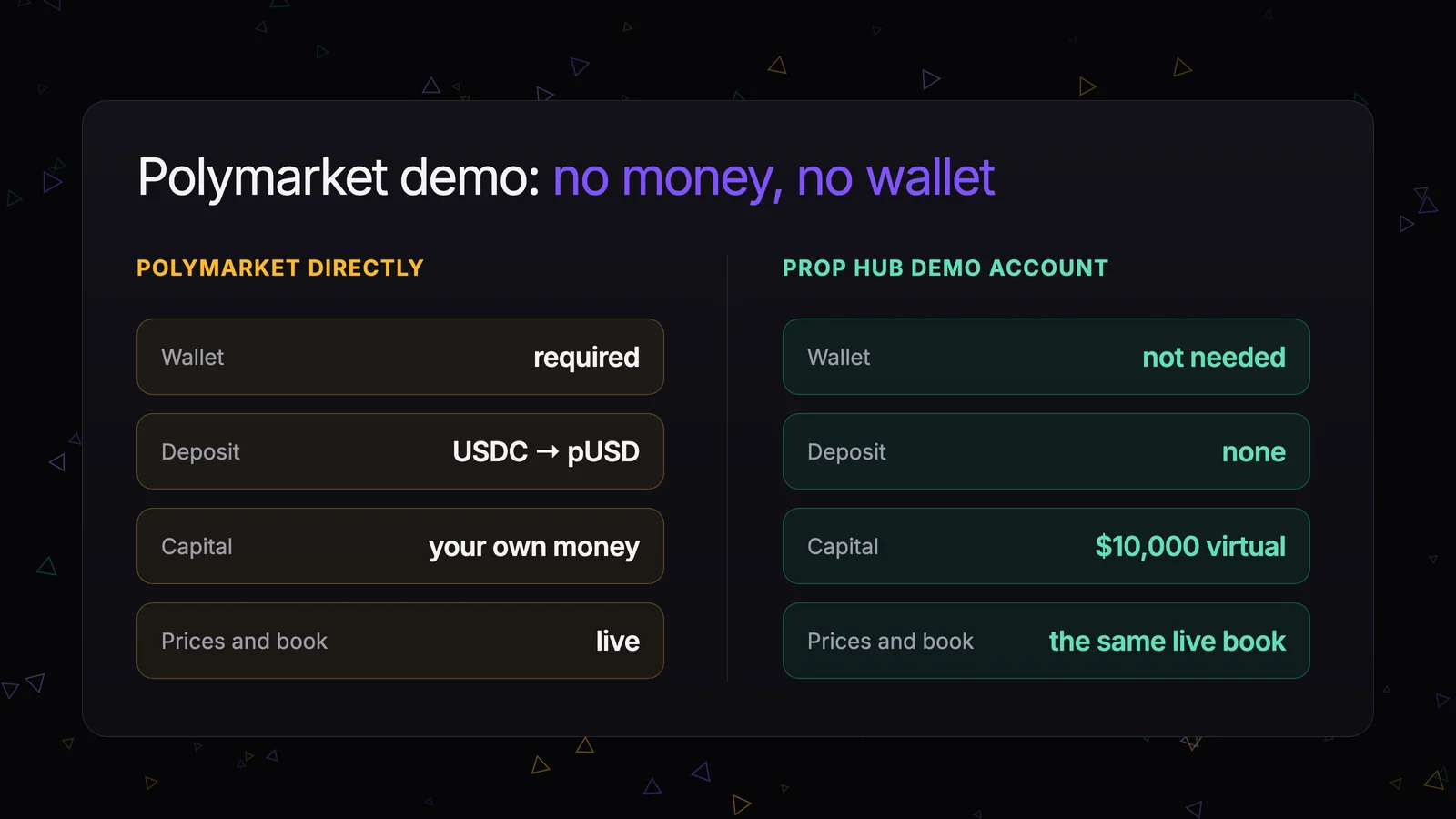
No. As of November 1, 2026, neither polymarket.com nor Polymarket’s documentation offers a demo account, paper trading or a practice balance. Every order placed there is a real order from a funded wallet. Since the exchange upgrade on April 28, 2026, Polymarket trades in pUSD, its own token on Polygon backed 1:1 by USDC: deposited USDC is converted into it automatically.
What you can do for free is watch. Any market page shows the chart, the order book and recent trades without signing up. Watching just doesn’t teach you the part that costs money: the price you actually get for your size, the fee on top, and what happens to your position when the price moves.
There are third-party paper-trading tools for Polymarket, from browser extensions to open-source scripts. They model fills and fees in different ways, so check how a tool counts the order book and the fee before you trust its results.
A demo account on live Polymarket prices
Prop Hub is a prop firm for prediction markets. Every account trades the same Polymarket markets at live prices, and one of the free accounts is a demo:
| Demo account | |
|---|---|
| Balance | $10,000 of virtual capital |
| Cost | free |
| Time limit | none |
| Rules | the same as a paid challenge |
| Withdrawal | none |
| How many | one per user |
You open it on the Accounts page with the Create demo button. You don’t need a wallet, crypto or ID verification for it.
The demo follows challenge rules, so you practise at the scale and under the limits of a real evaluation: a +30% target, equity no more than 20% below its peak, a daily loss of no more than 10%, and no more than 5% of the starting balance in one outcome. It never closes for time or for a break in trading. Only a drawdown limit can close it, and after that you can’t open a second demo. Treat the limits the way you would on a paid account.
What a demo trade shows you
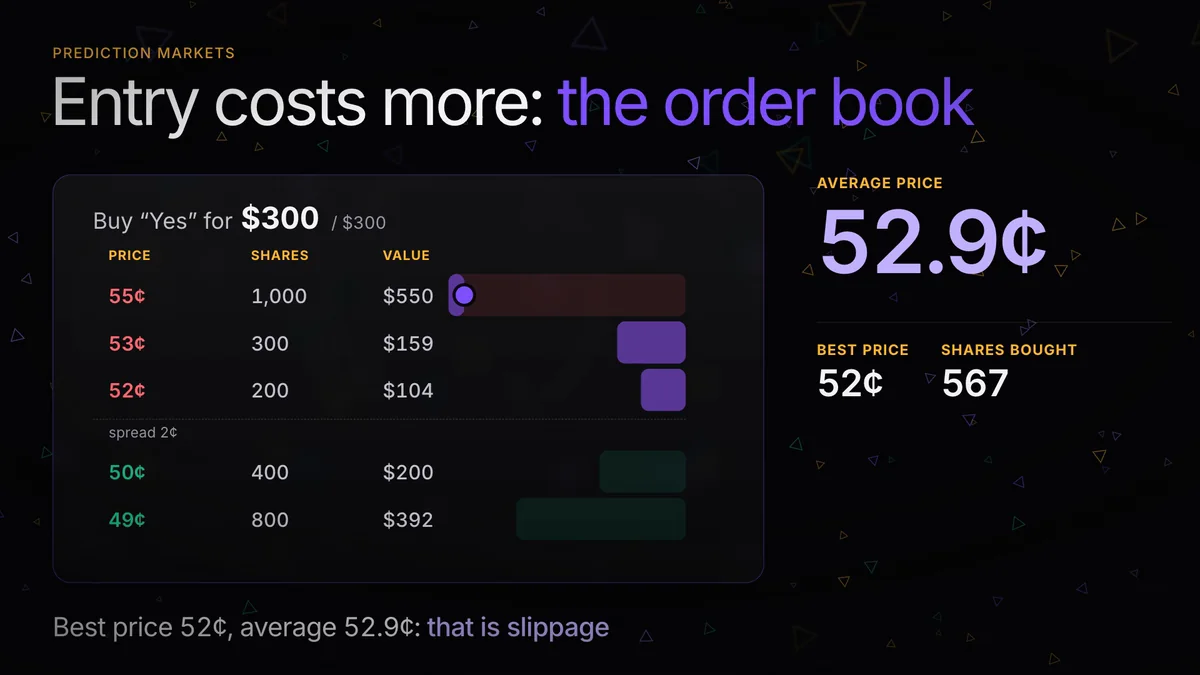
Here is a market from November 1, 2026, checked at 12:08 UTC: “Will the price of Bitcoin be above $78,000 on November 2?” The best bid for Yes was 50¢ and the best offer 51¢, a spread of one cent. At 51¢ sellers offered only 674 shares, about $344; the next level was 7,524 shares at 52¢. The market’s fee rate was 0.07.
Say you buy $400 of Yes:
- 674 shares fill at 51¢, the remaining $56 or so at 52¢, about 108 shares;
- you get about 782 shares at an average 51.1¢, slightly worse than the price on the button;
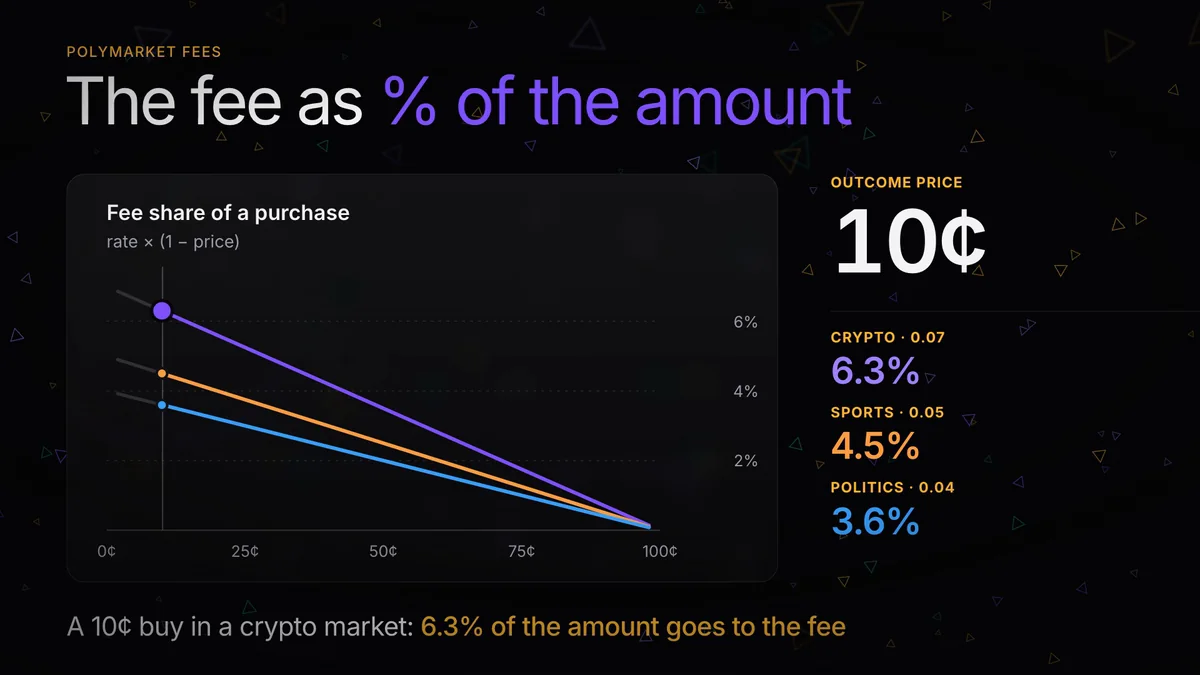
- the fee is shares × 0.07 × price × (1 − price), about $13.68, or 3.4% of the amount, charged on top;
- sell straight away into the 50¢ bid and you get about $391 minus another $13.69 of fee, so $377.41.
An immediate round trip costs $36.27, roughly 9% of the position, before the price has moved at all. This is what a demo account is for: you see the cost of entering and leaving a market before it’s your money. Why the average price drifts from the quote is covered in order book and slippage.
How the simulation differs from Polymarket
What matches Polymarket:
- the markets, outcomes and live prices;
- execution against the current Polymarket order book, level by level, at the weighted average price;
- the fee, the same rate Polymarket charges on that market at the moment of the trade; markets without a fee are free here too;
- settlement by Polymarket’s result: $1 per share of the outcome that happened, $0 for the rest;
- the execution delay in sports markets, usually about a second.
What’s different:
- Market orders only. You always take liquidity from the book, so you can’t post a limit order and wait for your price.
- No partial fills. If the book can’t absorb the full amount, the whole order is rejected and you reduce the size.
- Your order doesn’t touch the real book. The shares you “bought” stay on offer on Polymarket. With a few hundred dollars that barely matters; in a thin market with a large size, a real order would move the price more than the simulation shows.
- Short markets only. Prop Hub lists markets that resolve within 2 days: today’s games, crypto windows, data releases. Long-dated markets aren’t available.
- No wallet and no deposits. No exchange transfer, no conversion and no network to pick.
The fees and execution rules are detailed in the help center under execution and fees.
Demo account or welcome account
Prop Hub has two free accounts, and they answer different questions.
The demo tests a strategy at real challenge scale and rules, with no deadline. It pays nothing out.
The welcome account opens at sign-up with $100 for 3 days. It’s smaller and short-lived, but its profit can be withdrawn once in real money, up to $100, after identity verification and under a few conditions. Those are covered in the free $100 account.
When the demo shows a result that holds up after fees, the next step is a paid challenge and then a funded account with a share of the profit. The whole route is in how Prop Hub works.
A practice plan for the demo
- Pick one category you understand: short crypto windows, football, tennis, macro releases. Spread across everything at once and you won’t see which part works.
- Read the book before every buy. Note the best offer, how many shares sit at it and the price on the button.
- Size as if it were a challenge. Keep each position well inside the 5% limit so one miss doesn’t eat a day’s room.
- Review after 20–30 trades. The Trades page lists each trade with its fee. Look at the result after fees and ask whether it came from the method or from one lucky event.