 Emmy
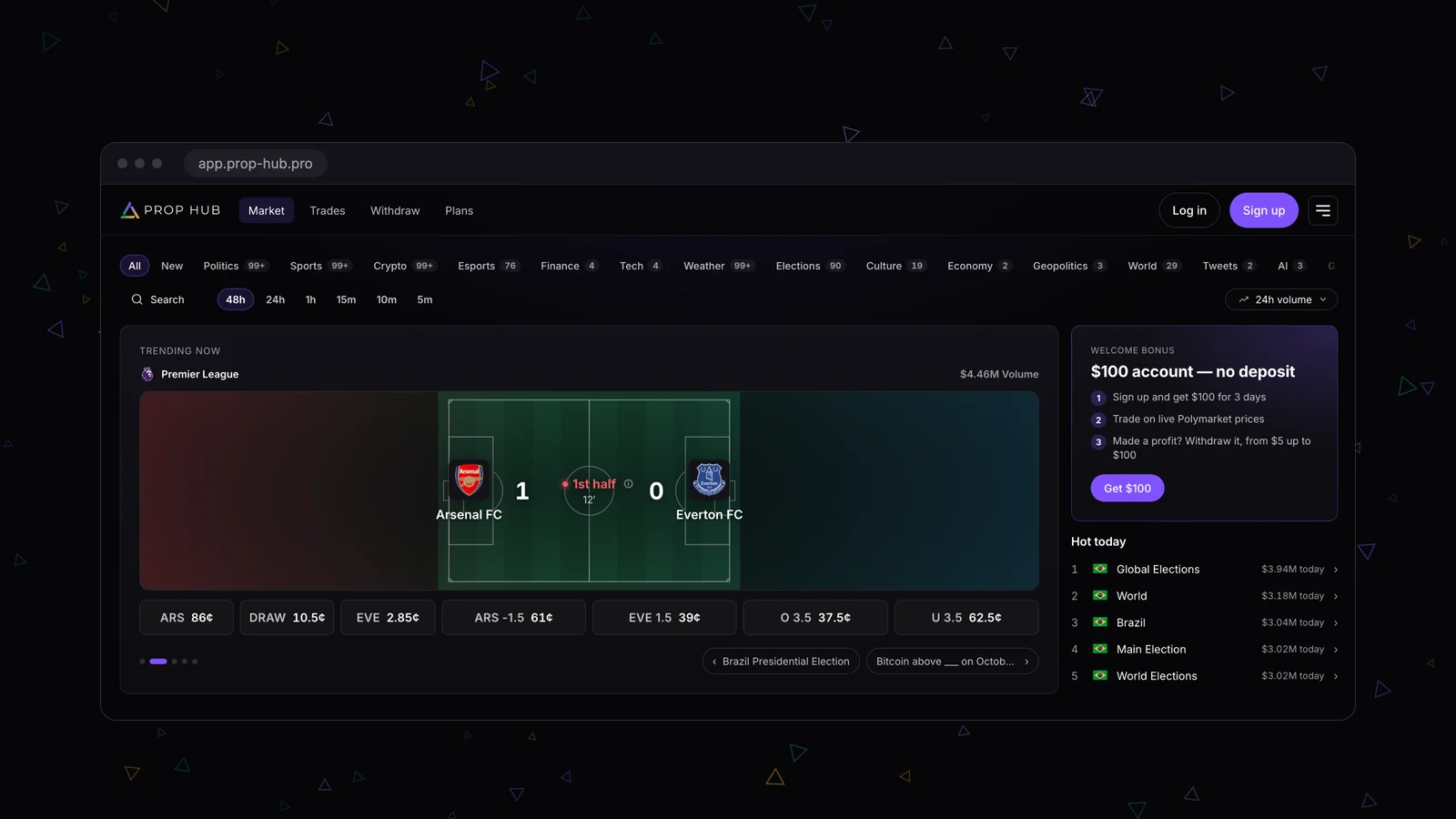
Prop Hub is a prop firm for prediction markets. You trade virtual capital on live Polymarket prices, pass a challenge under fixed risk rules and get a funded account, from which you withdraw up to 90% of the profit in real money. Here’s the whole route, step by step: what you do, what the system checks, and where traders usually get stuck.
Step 1. Create an account
Sign up with email and a password, or with Google. You don’t need a wallet, crypto or a bank card to trade, because your own money never sits in the platform — only virtual accounts do.
Turn on two-factor authentication (TOTP) in settings right away. Identity verification lives in settings too, but you only need it to withdraw, not to trade.
Step 2. The free accounts: welcome and demo
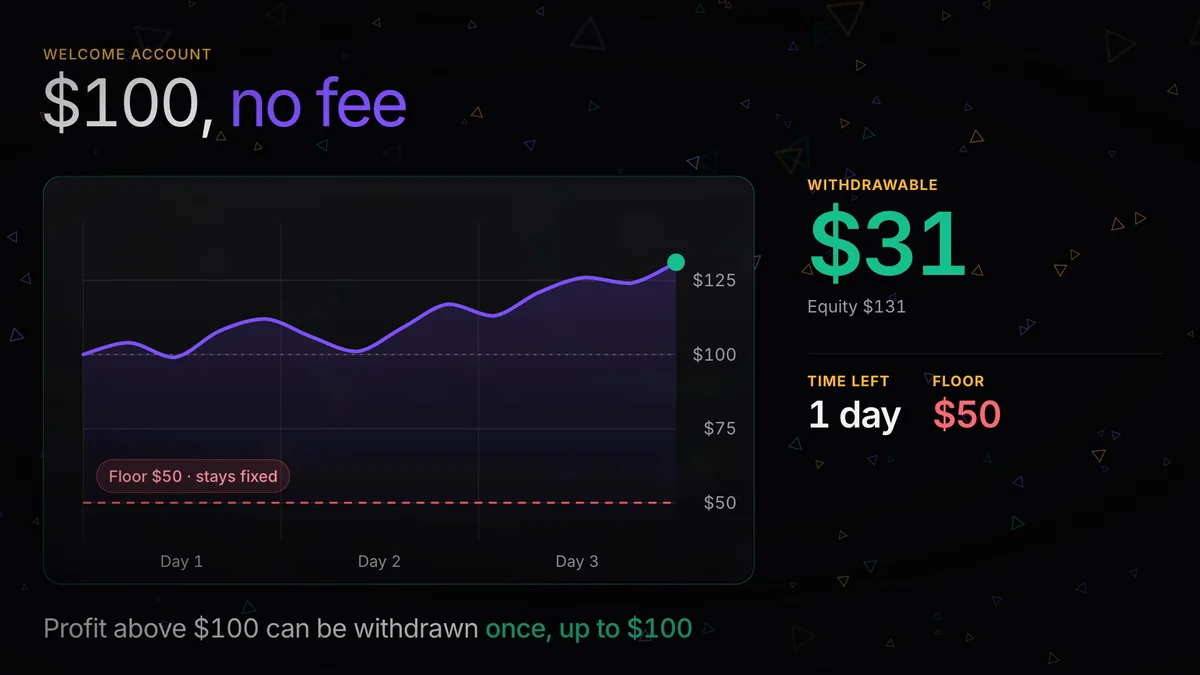
Once you’ve signed up, a welcome account with $100 opens. It lasts 3 days, its equity can’t drop below $50, and it’s the only free account that can pay out real money: if the balance grows, you can withdraw the profit once, between $5 and $100. To qualify, you need trades on at least 2 different UTC days, and no single event can account for more than 30% of the profit. The details are in the free $100 account.
There’s one welcome account per person, and it never turns into a funded account, even at +30%.
You can also open a demo account: $10,000 with no time limit, under challenge rules. It’s available once, from the Accounts page, and nothing can be withdrawn from it. It’s a good way to test a strategy at real challenge scale.
Step 3. Buy a challenge
The paid route starts on the plans page. Account sizes and fees:
| Account size | Fee | Profit target | Min. equity | Daily limit | Per-outcome limit |
|---|---|---|---|---|---|
| $1,000 | $30 | $1,300 (+30%) | $800 (−20%) | −$100 (−10%) | $50 (5%) |
| $10,000 | $125 | $13,000 (+30%) | $8,000 (−20%) | −$1,000 (−10%) | $500 (5%) |
| $25,000 | $300 | $32,500 (+30%) | $20,000 (−20%) | −$2,500 (−10%) | $1,250 (5%) |
| $50,000 | $500 | $65,000 (+30%) | $40,000 (−20%) | −$5,000 (−10%) | $2,500 (5%) |
The fee is one-time and priced in US dollars. You pay in crypto through a payment gateway, and in the Telegram bot you can also pay with Telegram Stars. Promo codes go in on the same page before you pay, and the server recalculates the price immediately. The account opens by itself once the gateway confirms the transfer. The fee pays for the evaluation and isn’t refunded if you don’t pass.
Your account’s terms are locked in at purchase. If the plan changes later, your challenge and the funded account that follows keep the original rules.
Step 4. Trade the challenge
Markets. You can trade Polymarket events that resolve within 2 days: upcoming games, short “Bitcoin up or down” windows, a central bank decision in the run-up to the meeting. A market that ends in a month shows up once it’s 2 days from its end date.
Execution. A buy walks the live Polymarket order book from the best offer upward and fills at the weighted average price. If the book can’t absorb the full amount, the whole order is rejected. Fees match what Polymarket charges on that market. Sports markets add Polymarket’s execution delay, usually about a second. Positions close when you sell or when Polymarket announces the result: $1 per share of the outcome that happened, $0 for the rest.
Rules. The target is +30% on the starting balance from counted trades, meaning positions bought between 10¢ and 90¢: trades outside that range are allowed, but their profit doesn’t count toward the target. Also:
- equity stays above −20% from its peak;
- the loss in one UTC day stays within −10% of equity at the start of that day;
- one outcome holds no more than 5% of the starting balance, counting all buys together;
- you trade at least once every 14 days.
Breaking a drawdown limit or going inactive closes the account, and the account page shows which rule fired and at what numbers. There’s no time limit on the challenge. Each rule is unpacked in prop challenge rules.
Step 5. “Passed”
A challenge passes when three things are true at once: profit from counted trades has reached the target, there are no open positions, and the consistency rule holds — your best day is no more than 30% of total profit.
The open-positions part matters because an open position is valued at the market midpoint and can still fall before it resolves. So “Passed” is based on closed results. If you hit the target with positions open, sell them or wait for them to resolve.
Consistency never closes the account. If one day makes up too much of the profit, the account stays active and you keep trading until the share evens out.
Step 6. Request funding
On a passed challenge you can’t open new positions, but you can still sell. Then:
- Make sure nothing is open.
- Click “Request funding” on the account page.
- Trading on the account freezes until there’s a decision.
- The team reviews your trades against the rules and the fair-use policy.
If approved, a new funded account of the same size opens with a fresh balance, and the challenge closes. If declined, the challenge closes and the reason appears in a comment on the account page.
Step 7. The funded account
A funded account runs on the same engine with the same limits: drawdowns, the per-outcome cap, the activity rule. There’s no profit target any more — you trade and withdraw. Consistency is looser here, with the best day allowed up to 40% of profit, and it decides whether you can request a payout right now.
As on the challenge, profit that counts toward a payout comes from closed positions bought between 10¢ and 90¢. Positions outside that range are allowed, they just don’t add to the withdrawable amount.
Step 8. Payouts and KYC
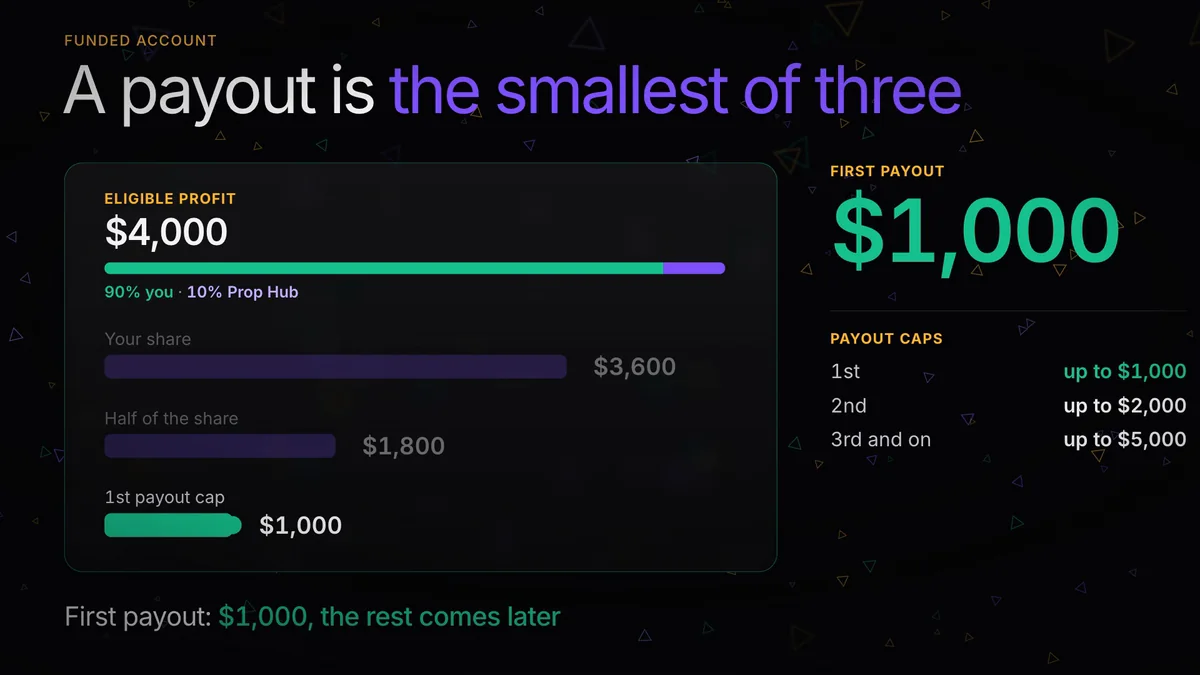
You request a payout from the account page, with no positions open, entering the amount, coin, network and wallet address. The amount available is the smallest of three: your share (90% of qualifying profit minus what you’ve already withdrawn), half of that share per payout, and the cap for that payout number — $1,000, then $2,000, then $5,000. Payouts are at least 7 days apart.
| Coin | Networks |
|---|---|
| USDT | TRC20, BEP20 |
| USDC | ERC20, Polygon, Solana, BEP20 |
The request then moves through these stages:
| Stage | What happens |
|---|---|
| Activity review | the team checks the account’s trades |
| Awaiting KYC | identity verification is needed; you’ll get an email |
| Withdrawal approved | the request is cleared and the payment is being prepared |
| Sent | the transaction hash appears on the request |
Verification runs inside the dashboard through our partner Didit: an ID document and a short face video, with no VPN. Approval is valid for 180 days. If your document’s country is on the withdrawal restriction list, the payout can’t be sent — the list is in the help center under country restrictions.
Payouts are sent manually from the company wallet within 72 hours of the request, or of KYC approval if verification was needed. Once the money is sent, the freeze lifts and the funded account keeps trading.