 Emmy
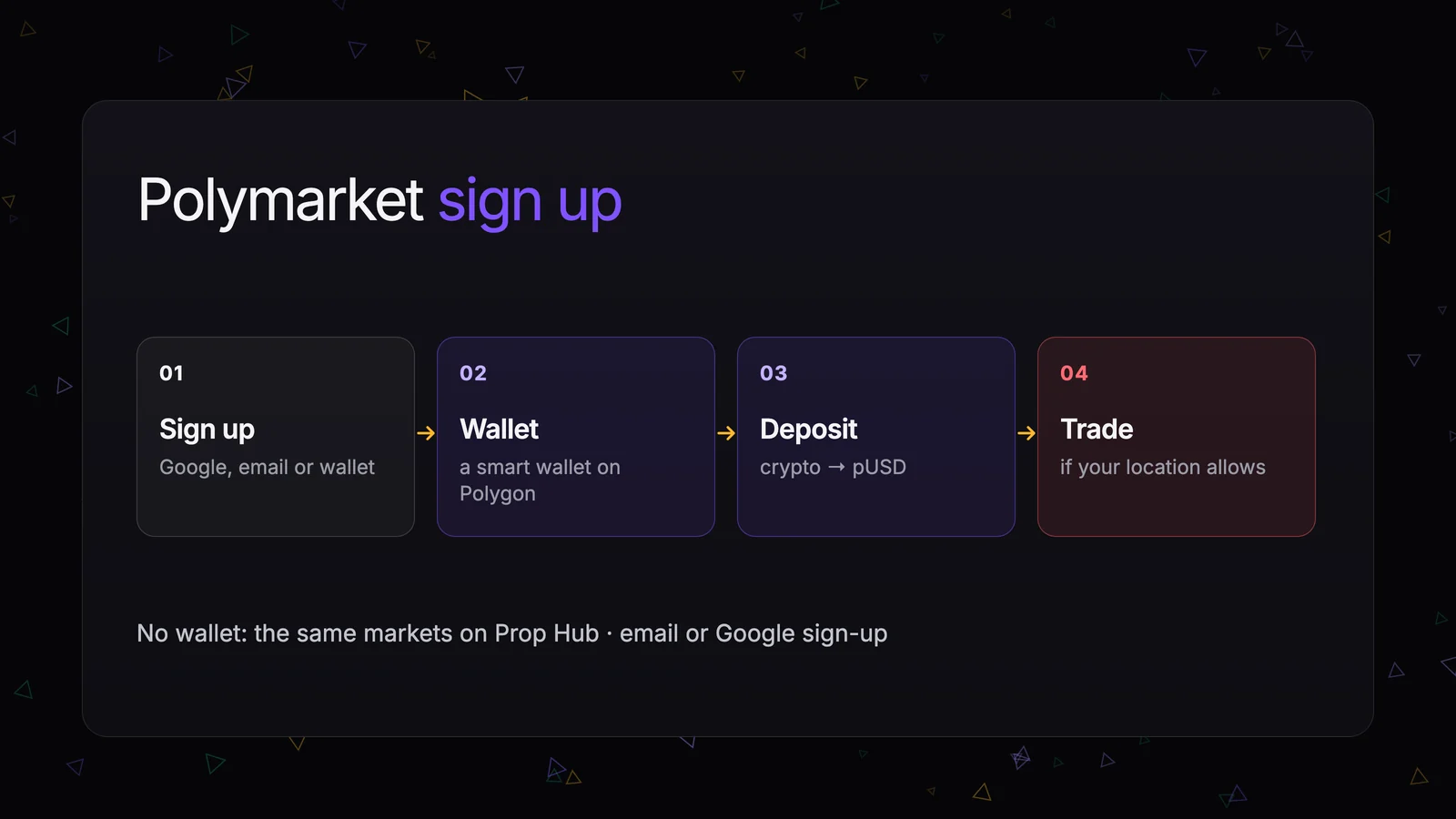
The Polymarket sign-up itself takes a minute: Google, an email code or a crypto wallet. What takes longer is everything around it. Your account is a crypto wallet on Polygon, it has to be funded with crypto, and whether you can open positions depends on where you are physically. Below is the whole path as Polymarket’s own help center and documentation describe it on November 13, 2026, plus what to check before you send any money. At the end there’s a way to trade the same markets with no wallet at all.
Before you sign up: check your location
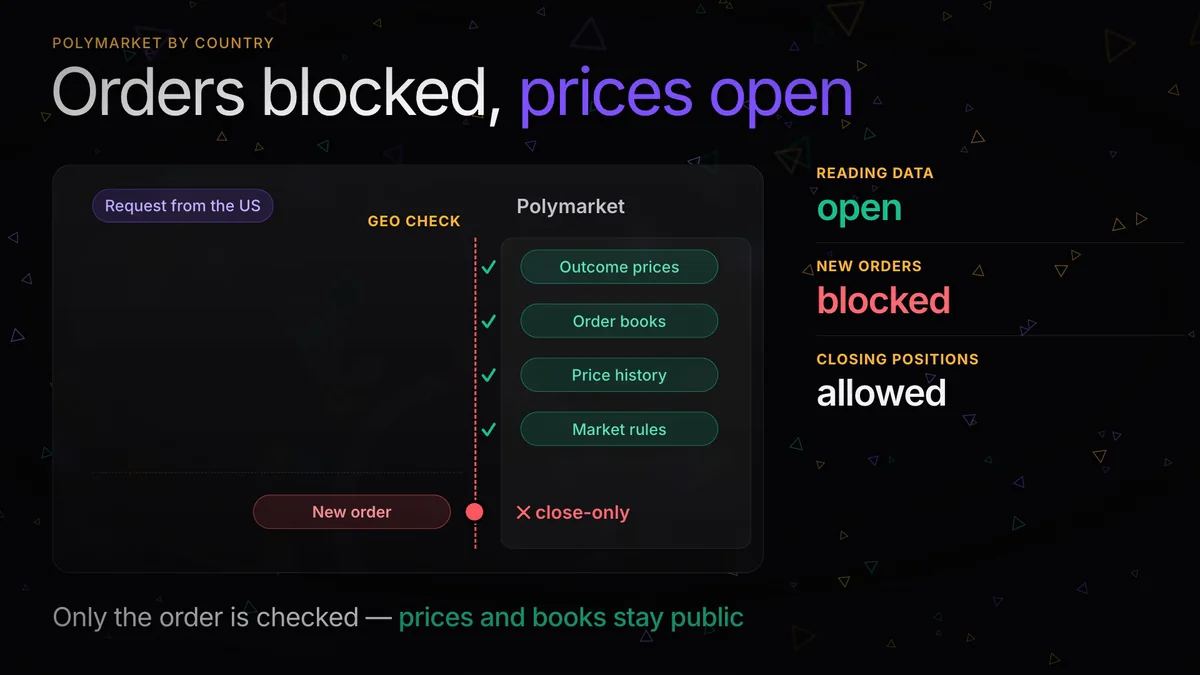
Polymarket restricts trading by location. Its help center lists countries and regions where it isn’t available and countries that are “close-only”, where existing positions can be closed but new ones can’t be opened; in some restricted places market data stays visible while trading is off. The documentation adds an endpoint, polymarket.com/api/geoblock, that shows whether your current IP address is blocked from placing orders.
Three points matter before you register:
- Physical location counts, not citizenship. Polymarket’s help center says a user travelling to a non-restricted country can keep trading there, and the reverse applies too.
- A VPN is not a workaround. Polymarket prohibits using a VPN to get around restrictions; its help center points to section 2.1.4 of the Terms of Service.
- The United States is a separate case. The international platform restricts US users. In July 2025 Polymarket bought QCEX, a CFTC-licensed exchange and clearinghouse, and in November 2025 the CFTC approved an amended order that lets Polymarket’s US exchange offer access through regulated intermediaries. That’s a different product from polymarket.com.
How the restrictions differ by country, and why prices stay readable everywhere, is covered in Polymarket restricted countries.
Three ways to sign up
Polymarket’s help center describes three options, all starting from the sign-up button on polymarket.com:
- Google. Continue with Google, connect your account, finish the sign-up. You log in with Google from then on.
- Email. Enter your address and type in the 6-digit code that Polymarket emails you. You log in the same way later: address plus a fresh code. Polymarket warns never to share that code with anyone, including people claiming to be its staff: whoever has the code has the account and its funds.
- Crypto wallet. Connect a wallet such as MetaMask, Rabby or Phantom, then sign two messages: one connects the wallet to Polymarket, the second enables trading.
With Google or email you don’t need a wallet of your own: Polymarket sets one up for the account. The difference between the options is who holds the key. With an external wallet, you do. With Google or email, access goes through that login, which is why the code warning is there.
What your account actually is
A Polymarket account is a smart wallet on the Polygon network. According to Polymarket’s documentation, every account wallet created on or after May 4, 2026 is a Deposit Wallet. Older accounts have one of two earlier types: a Proxy Wallet for Google or email sign-ups, or a Safe for accounts created with an external wallet. In each case the wallet is controlled by its signer, the login or wallet you signed up with.
Trading runs in pUSD, Polymarket’s own token on Polygon backed 1:1 by USDC. You don’t need to buy pUSD anywhere: deposits are converted to it automatically.
Funding the account
Polymarket’s deposit flow, per its help center: open Deposit, pick a method such as a crypto transfer, choose a token and a network, copy the deposit address and send at least the minimum. What to know about each step:
- One address per network type. The address is fixed for your profile and can’t be regenerated. EVM networks share one address; Solana, Bitcoin and Tron each have their own.
- Many networks, one result. The bridge accepts tokens on Ethereum, Polygon, Arbitrum, Base, Optimism, BNB Smart Chain, Solana, Bitcoin, Tron and other networks, then bridges and swaps them into pUSD on Polygon. The list changes; the current one is at
bridge.polymarket.com/supported-assets. - Each network has a minimum. A deposit below it stays pending until the total sent to that address reaches the minimum.
- Mistakes are expensive. Funds sent on the wrong network or to the wrong address can’t be reversed. Polymarket offers a recovery tool, but its help center still tells you to test with a small amount first.
- Large amounts. For deposits above $50,000 from a network other than Polygon, the documentation suggests third-party bridges to reduce slippage.
Once the deposit is credited you can trade. Fees on Polymarket depend on the market and are paid by the taker; how they’re calculated is in Polymarket fees.
Checklist before your first deposit
| Check | Why |
|---|---|
| Your country and region in Polymarket’s restriction list | In a close-only country you can’t open new positions, whatever you deposit |
| The login method you’ll keep | The deposit address is tied to the account you signed up with |
| Network and token in the deposit window | A transfer on the wrong network can be lost |
| The minimum for that network | Smaller deposits wait until the total reaches it |
| A small test transfer | Confirms the address and network before a large amount |
Trading the same markets without a wallet
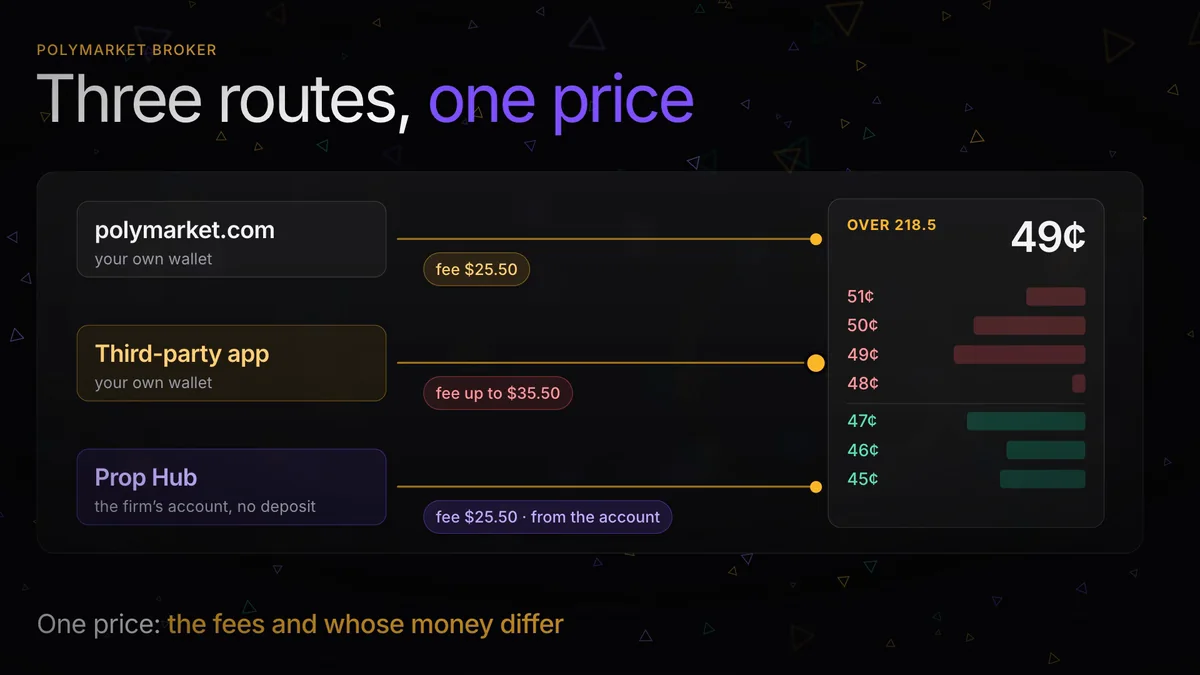
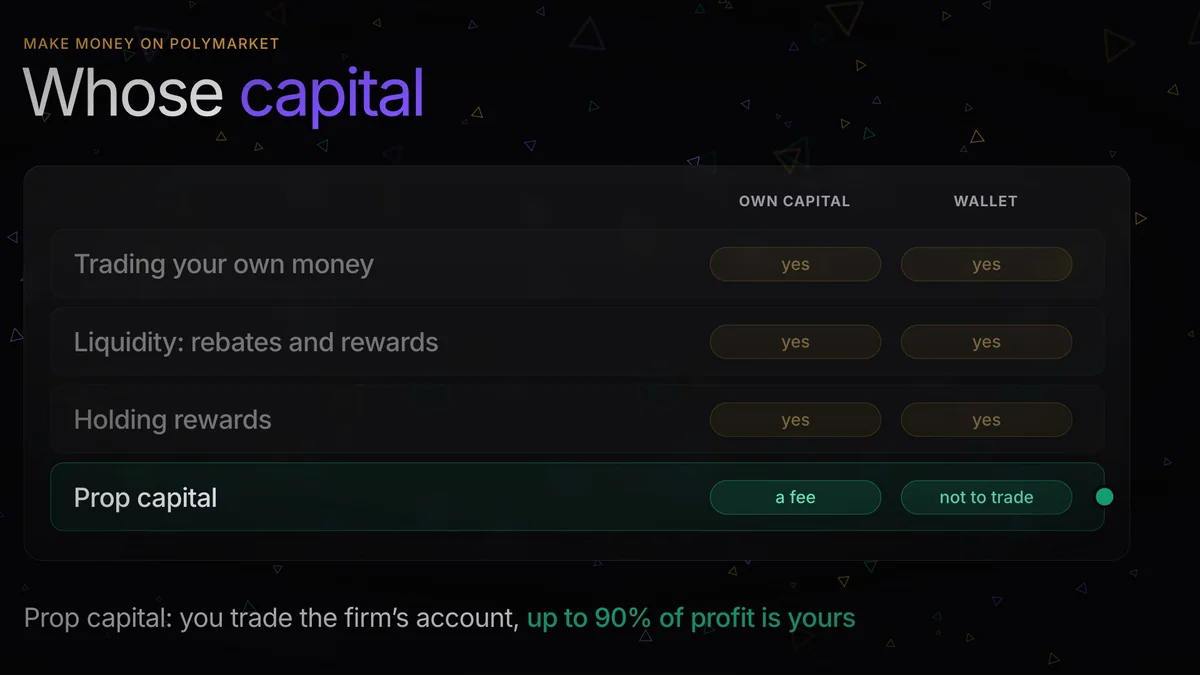
If the steps above are a hurdle, because of a restricted country, no crypto, or just wanting to learn first, there’s another route. Prop Hub is a prop firm for Polymarket markets: you sign up with email or Google and trade on live Polymarket prices and order books, with the same fee per market, without a wallet, a deposit or a Polymarket account.
What opens after sign-up:
- A $100 welcome account for 3 days, free. Profit on it can be withdrawn once in real money, up to $100.
- A $10,000 demo account with no time limit, for practice; see Polymarket demo account.
- A challenge, if you want a funded account: account sizes and one-time fees are on the plans page. On a funded account you keep up to 90% of the profit, paid in USDT or USDC.
Trading on Prop Hub is open from any country; real-money payouts depend on the country of your ID document, checked during KYC. The sign-up itself is described step by step in how to sign up for Prop Hub, and why no wallet is needed is in the help center under no wallet needed.